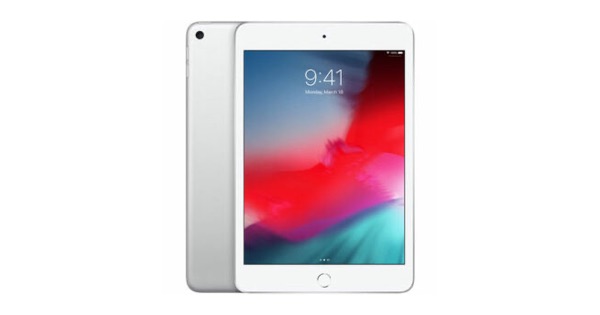

Download this tutorial today to get the most out of your iPad and iOS 6! This video tutorial has 45 how-to videos that are easy-to-follow, and is nearly 4 hours in total length. The tutorial covers everything from using the virtual keyboard, to multitasking, to creating folders, to creating a picture frame with your iPad, to troubleshooting your iPad. Tutor for iPad covers everything you need to start working with your iPad.
”Wow. Refreshing. The best of the best.”
”This app is great.”
”Excellent app. Clear and easy to follow.”
”Thank you so much…6 Stars if they had it!!!”
”Excellent product.”
Features Include:
- 45 Easy-to-Follow Videos on how to use the iPad.
- Our Notes Feature allows you to take notes while watching the tutorial.
- All videos are downloaded to your Mac or iPad. No subscription required.
- Airplay enabled so you can watch on your HD TV if you have an Apple TV V2.
Find out how to:
- lock the orientation
- use gestures to get around
- use the virtual keyboard
- use copy and paste
- group your apps into folders
- search your iPad
- change your settings
- use accessibility features
- use Airplane mode
- work with notifications
- work with the default apps including Contacts, Mail, and Calendar
- manage your photos
- add parental controls and restrictions
- sync and backup
- troubleshoot your iPad
- and more!
Get the most out of your iPad with the Tutor for iPad!
Download Today from the App Store
Download today from the App Store, or if you want to watch from your Mac, download the Mac version and follow along! Available in both the Mac App Store and iOS App Store!
- Mac Version
- Very helpful
Tutor for iPad – Australia – Congratulations to the people who made this educational app. It answers most of a newbie’s questions and is very easy to follow.
- iMac mountain lion
Tutor for iPad – United States – Wow. Refreshing. The best of the best. So well done. I have purchased many books, videos on this topic. I would have saved time and money if I was aware. Thank you.
- Tutor for iPad
Tutor for iPad – United States – I find it particulary useful to have Tutor for iPad running on my Mac while I test / do the steps that are being presented. I hope the creator does dual sources for all his products Jerry Naples
- V helpful
Tutor for iPad – Australia – This app is great. I know little to nothing about how to use the features of my pad before this tutorial. Clearly explained, well sequenced lessons of how to get the best out of the machine.
- Excellent app
Tutor for iPad – United States – Clear and easy to follow. Covers every aspect of iPad, from the most basic.
- Great App…..
Tutor for iPad – United States – It is a pleasure to have these tutors from Noteboom Productions. They are well organized and more effective than reading these quite expensive thick books.. Keep up the good work….
- So much help
Tutor for iPad – United States – I have Early Onset Alzheimer’s Disease. With my short term memory problems I cannot tell you what a help each and every app. is too me. Thank you so much…6 Stars if they had it!!! Rick Phelps
- Review
Tutor for iPad – United Kingdom – Excellent product – well delivered and easy to follow and understand – the people behind this application you will find most helpful in the unlikely event you have problems downloading etc
- Tutorial
Tutor for iPad – United Kingdom – Does everything well it says – highly recommended particularly for those individuals purchasing an iPad for the first time
- Tutor for iPad
Tutor for iPad – United States – For all you wanted to know about the iPad and a lot you didn’t know you needed to know. Clear voice, sharp video and a very complete index for future reference.
- A1 helpful
Tutor for iPad – United States – Birthday present iPad……..not a lot of time to fuss around with tutorials on line……..saw this Tutor and thought,maybe this will help me in a hurry. Absolutely! One of the biggest positives for me is that it’s right here on the iPad when I want/need it, I don’t ...